What Clipps actually extracts
Five screenshots from my own library. The middle three are post detail pages scrolled to where the matched module shows its fields. The first and last show the wider context, what the library looks like at scale and what modules ship with the app.
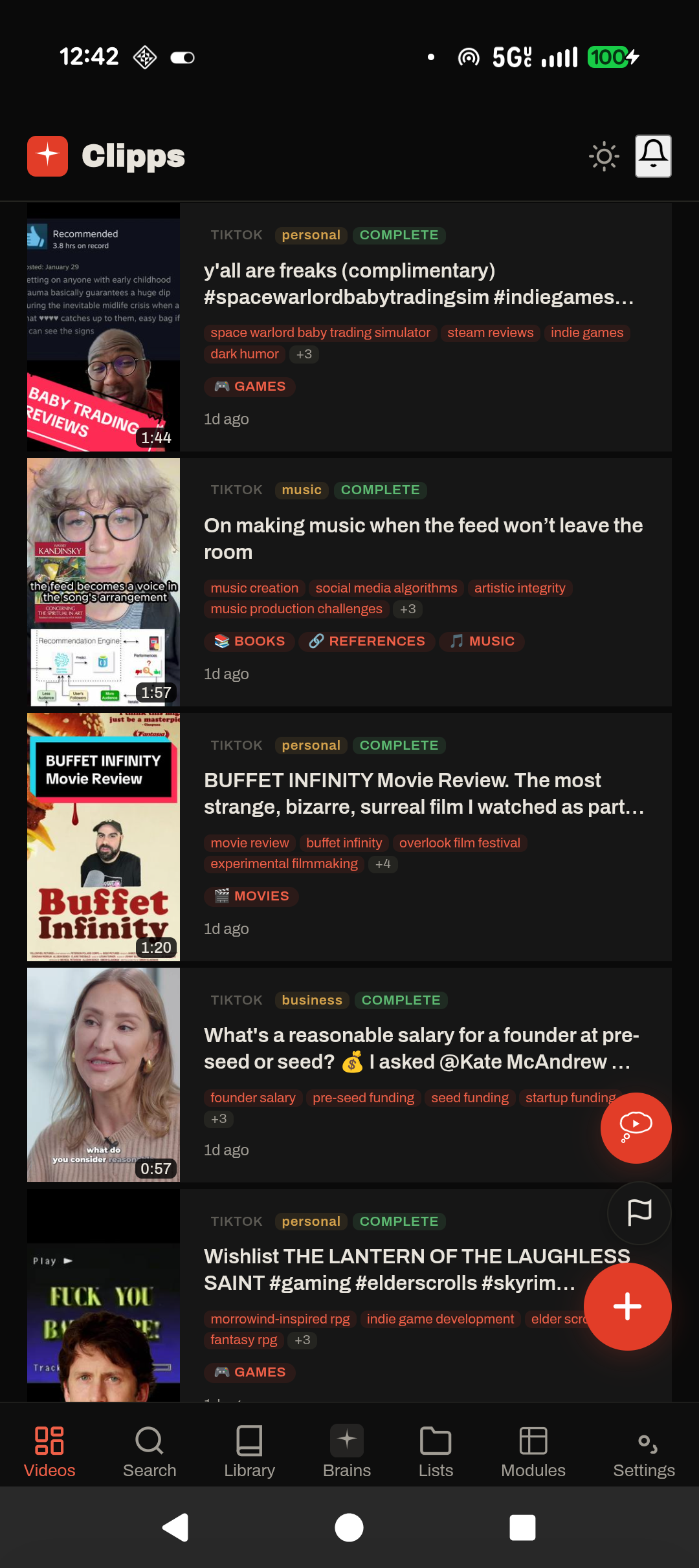
The library, classified at ingest
Every save runs through every installed module the moment the worker finishes processing it. The colored tags on each card are the module slugs that matched, things like personal, music, business, games. The smaller chips below each title are topics and content references the worker pulled from the transcript or page text.
Search from the bottom bar covers the title, transcript, summary, topics, and module fields all at once. Tapping a card opens the detail page with the full transcript and whichever module fields fired.
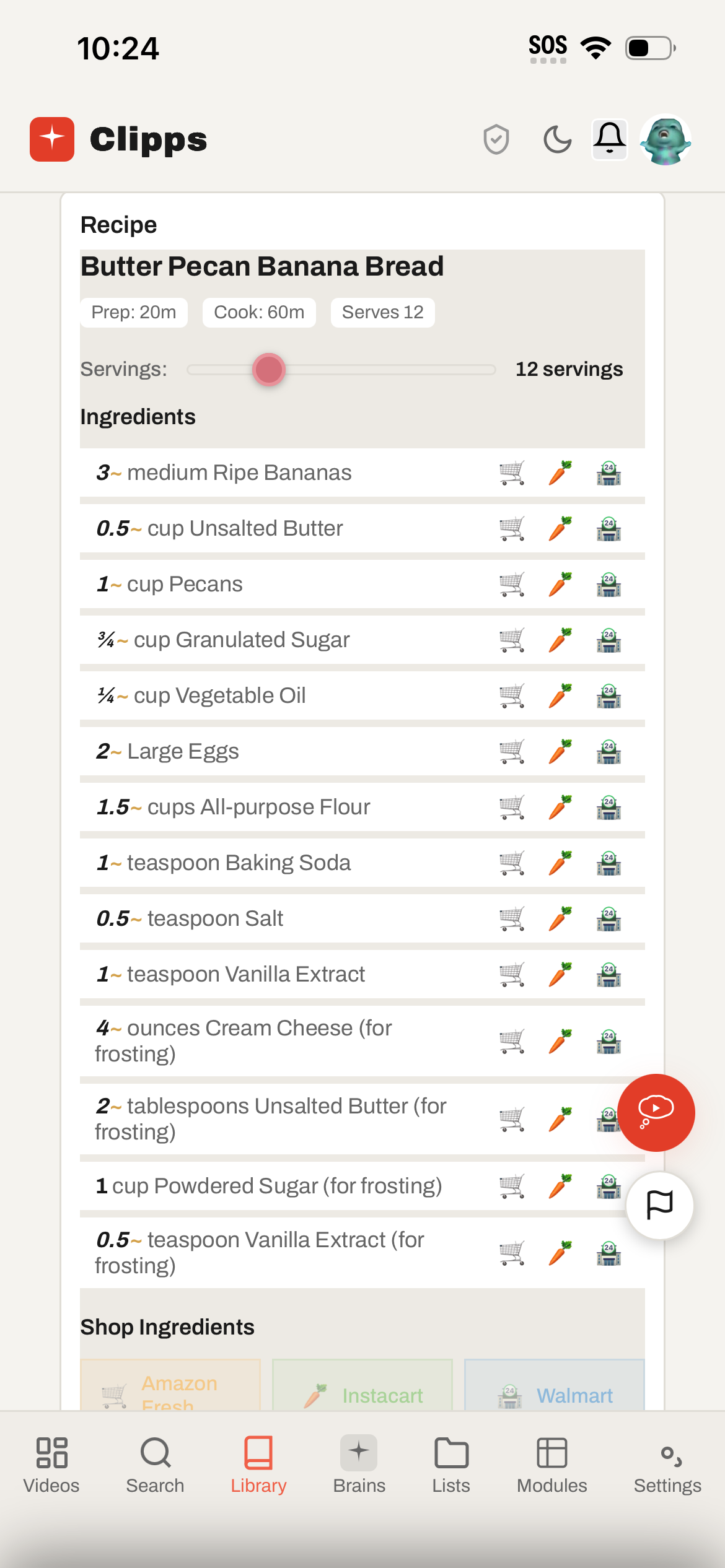
Butter Pecan Banana Bread
On a regular bookmarking app this would have saved as a TikTok link with no preview. The recipe module pulled the title, the prep and cook times (twenty minutes and an hour), a serving count of twelve, the full ingredient list with measurements, and the step list. The slider above the ingredients rescales the amounts when I change the serving count.
The icons on each ingredient row open a grocery search for that ingredient at Amazon Fresh, Instacart, or Walmart. Tap one and it sends the search. The Shop Ingredients button at the bottom passes the entire list to those same stores at once.
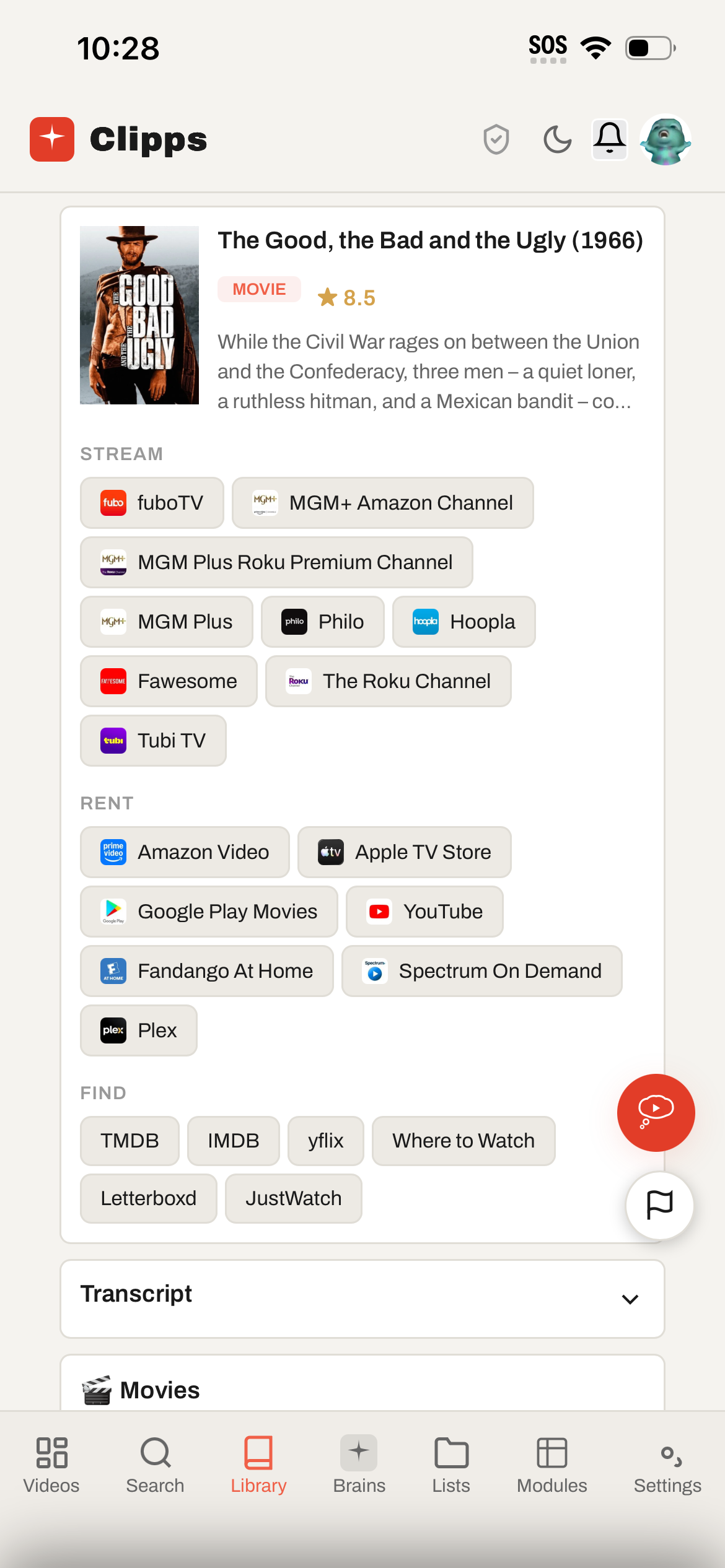
The Good, the Bad and the Ugly (1966)
The movies module takes the title off the page, resolves it to a TMDB id, and pulls back the full provider list for my country. The columns split by access type. Stream lists the subscription services that include the film at no extra cost. Rent is the paid options. Find is reference and search.
Same pattern works for books, anime, TV, and fashion. Books links into Goodreads, Amazon, and the Libby search for whichever library card I saved in settings. Anime links into MyAnimeList, Crunchyroll, and Anime Nexus. The outbound link list lives in the module file itself, so a new module ships with whichever sources its author thought were useful.
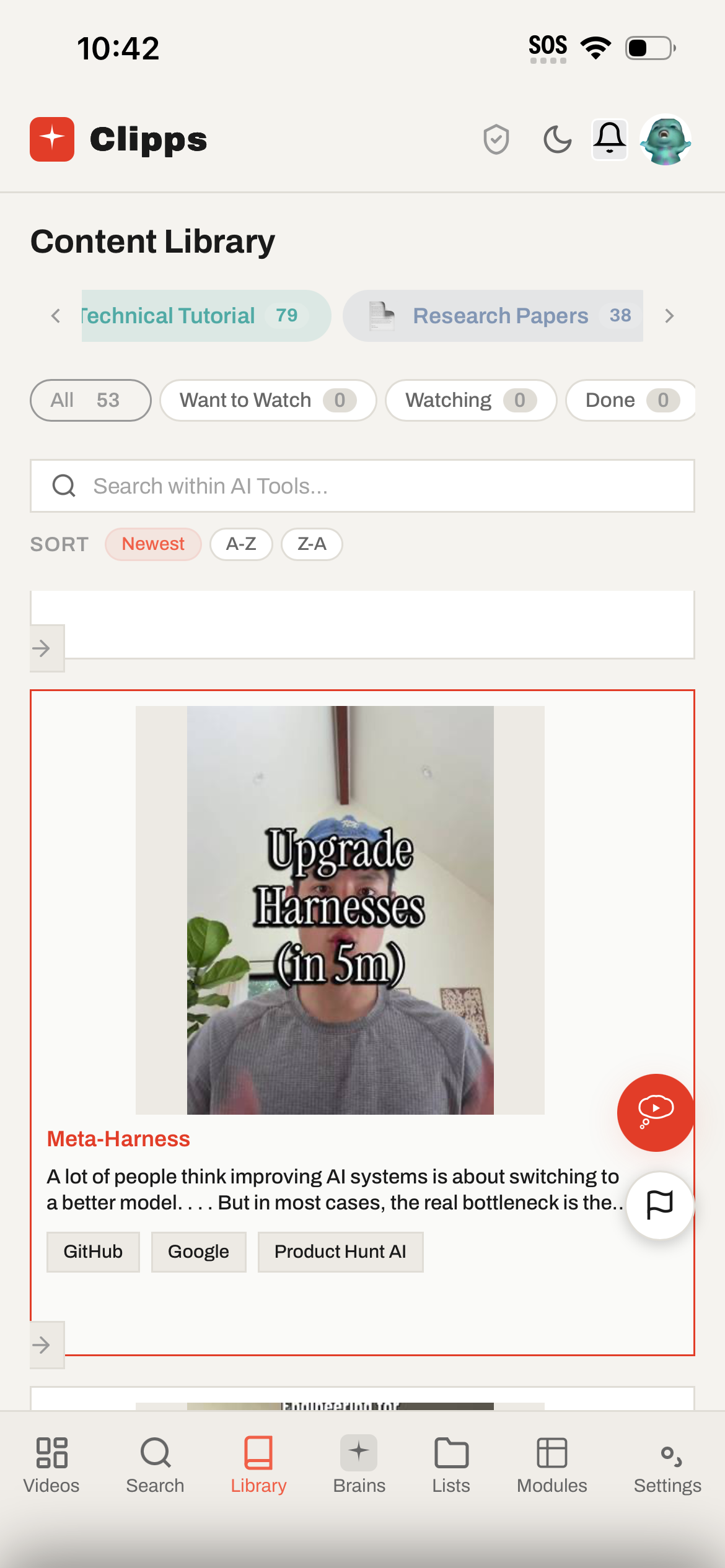
Technical Tutorial, 79 saves deep
The library filtered to AI Tools, then drilled into Technical Tutorial. The pills at the top are module cross cuts, with running counts (79 technical tutorials, 38 research papers). The visible card is a five minute TikTok teaching how to upgrade an agent harness rather than swap the model. The chips at the bottom (GitHub, Google, Product Hunt AI) are the outbound link sources the AI Tools module surfaces for any tutorial it classifies.
This is the use case the MCP server was actually built for. An agent in Claude Desktop or Cursor calls clipps_search for a topic, pulls back the saved tutorial transcript with timestamps and outbound links, and works from that as instructions in a real codebase.
What's actually running
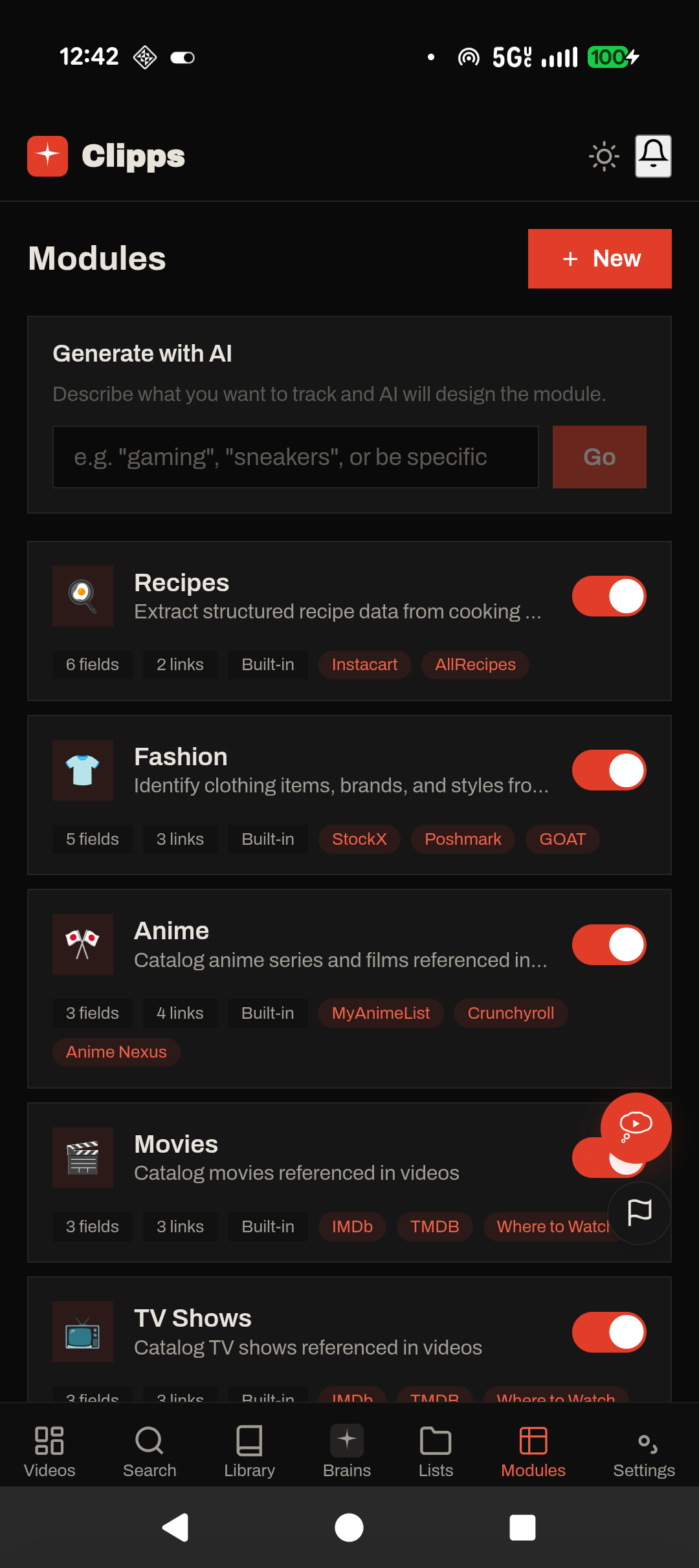
Built in modules ship enabled. Every user can flip them off. Each module declares the fields it extracts and the outbound link sources it surfaces, so Recipes pulls structured ingredients and steps and links to Instacart, while Fashion identifies clothing items and links to StockX, Poshmark, and GOAT.
The Generate button at the top accepts a one sentence description and drafts a starter module to edit and publish. Custom modules pass through a static scanner and an approval review before they appear in the store inside the app. Sandboxed JavaScript, restricted API surface.